 cad-agent.
Review site UX
The user reviewed the work almost entirely through a locally served preview page. Each request below came from something they could not see or could not act on.
Drawing diagram…
Scroll sideways to see the full diagram →
Diagram source
flowchart TD
    U["one review URL<br/>that stays stable"] --> P["progress section<br/>during long work"]
    P --> Parts["each printed part:<br/>thumbnail, one-click files"]
    Parts --> Q["which part? a table<br/>and a labelled render"]
    U --> Ev["the source evidence<br/>on the page"]
    Ev --> Cl["close-ups at stable URLs;<br/>cable routes in 2D and 3D;<br/>fine wheel zoom"]
    classDef here fill:#fffdf5,stroke:#173d3c,color:#173d3c
    classDef near fill:#eef1e4,stroke:#6f8a80,color:#173d3c
    classDef out fill:#ffe1cc,stroke:#bd3a12,color:#173d3c
    class P,Parts,Ev here
    class U near
    class Q,Cl out
Keep a progress section during long work
- Rule: During multi-hour work, keep a progress section at the top of the review page with three lists: done, running and needs your decision. Mark images that are stale until the rebuild finishes.
- Incident: "Launch the server again and show me how you are making progress." The agent added a "Rev 0.6 progress" section that listed the finished items, the background jobs and two open questions (screw seat, button identity). It said that some renders were from earlier runs.
- Check: The progress section is updated at each milestone, and each item links to its evidence.
- Source: 2026-10-25T00:31, 00:36, 01:45.
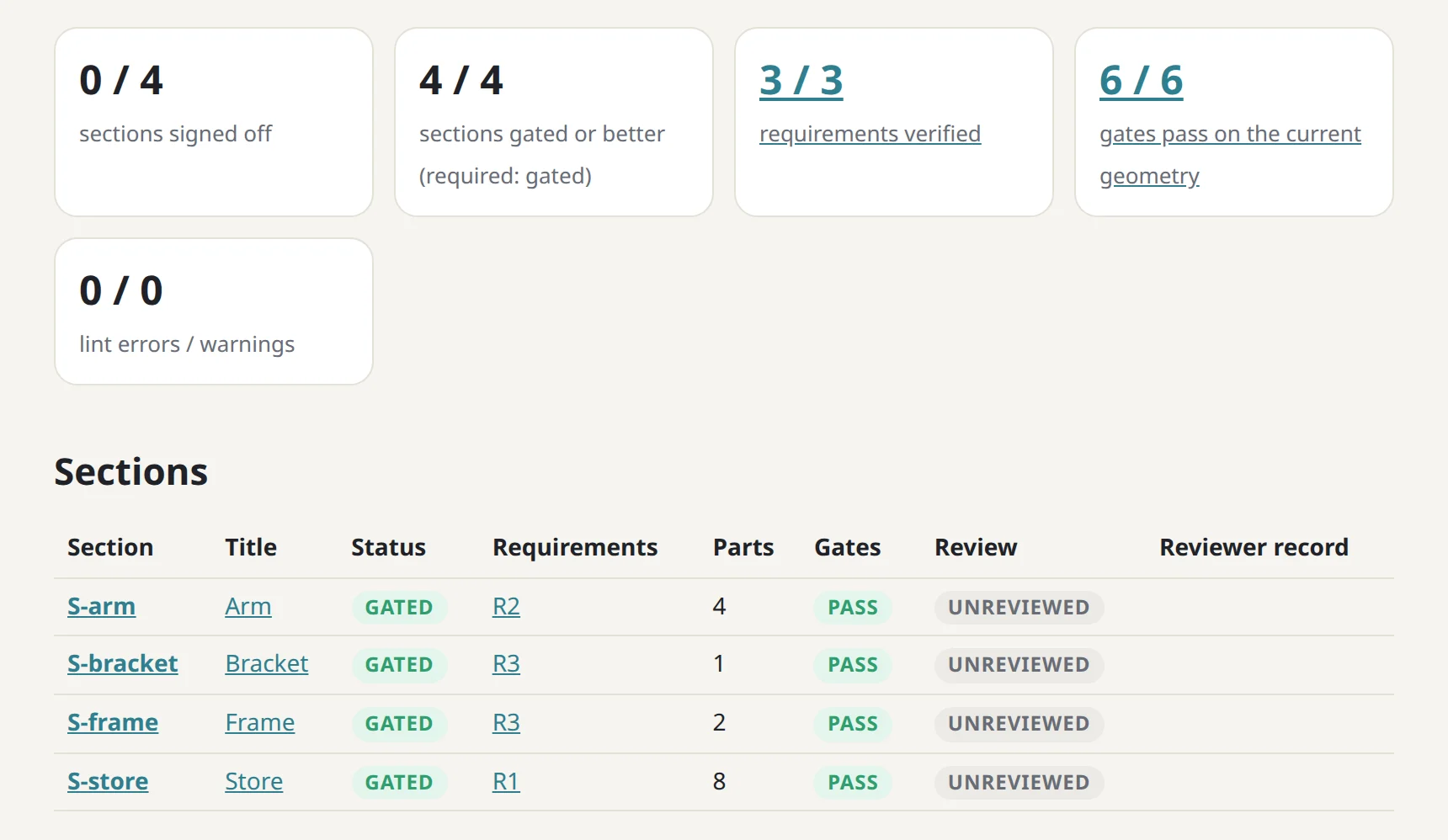
cad-agent site, on a test fixture in this repo. Status computed for the top of a review page, not written by hand. The gate bench's review site counts sections signed off and gated, requirements verified and gates passing, and lists each section's state.Give every printed part a thumbnail and one-click files
- Rule: Each part row needs a thumbnail and STL, 3MF and STEP downloads. Add a slicer deep link where possible, verify the link format, and say whether it was tested.
- Incident: The user asked: "'CAD, print files and validation' section needs thumbnails" and "Each printed component
section needs STL download links for printer, ideally bambu studio compatible links?" The agent confirmed the
bambustudio://open?file=<url>handler in the installed binary and added it. It did not open the app to test it, and warned that the link may not accept a local non-https URL, with the 3MF download as the fallback. The 3MFs are in print orientation and centred on the 256 mm bed. - Check: Every part in the build has a thumbnail, STL, 3MF, STEP and a deep link. The link checker passes. "Untested" is shown next to any unverified link type.
- Source: 2026-10-24T16:37, 16:43, 17:10.
Draw cable routes explicitly, in 2D and 3D
- Rule: Show cable routing as a labelled 2D diagram and 3D cutaways, with colour-coded leads, numbered steps and a live check table. A render of the parts alone does not show the route.
- Incident: "cable routing between sata drives and the orin carrier is not at all clear in the preview page". The
new "Cable routing" section has:
- a labelled 2D side view of the whole route and a plan view of a tray;
- two 3D cutaways with translucent plastic (red SATA data, yellow board 5 V, orange 12 V);
- six routing steps;
- a live table of required and available bend radius per route.
- Check: Each route in the checks JSON appears in the diagram and the table, with the same names.
- Source: 2026-10-25T00:46, 01:23;
README.md(preview/cable-route-diagram.png).
Put the source evidence on the page
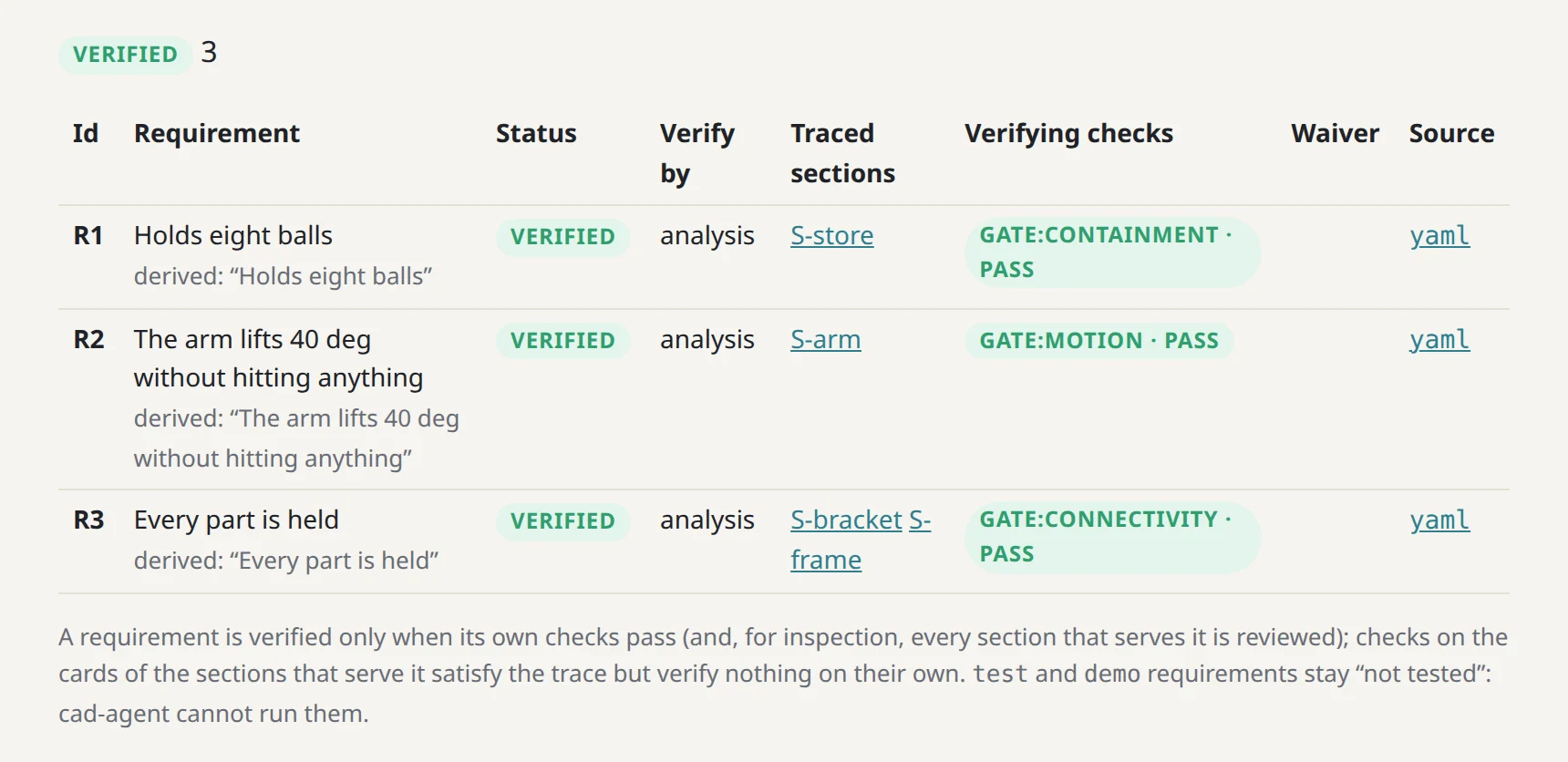
cad-agent site, on a test fixture in this repo. Evidence beside the claim. On the gate bench's review site each requirement links its source file and names the gate check that verifies it.- Rule: When a design decision rests on a datasheet or schematic, show the crop next to the decision, so the user can check it without opening the PDF.
- Incident: After the 12 V dispute, crops of schematic sheet 27 (SATA power pinout) and sheet 3 (power tree) were
added to the Cable routing section, and the user was pointed to
#cables. - Check: Every "per the schematic" or "per the datasheet" claim on the page has an image or a link with the sheet or page number.
- Source: 2026-10-25T01:29, 01:30.
Answer recurring "which part" questions with a table and a labelled render
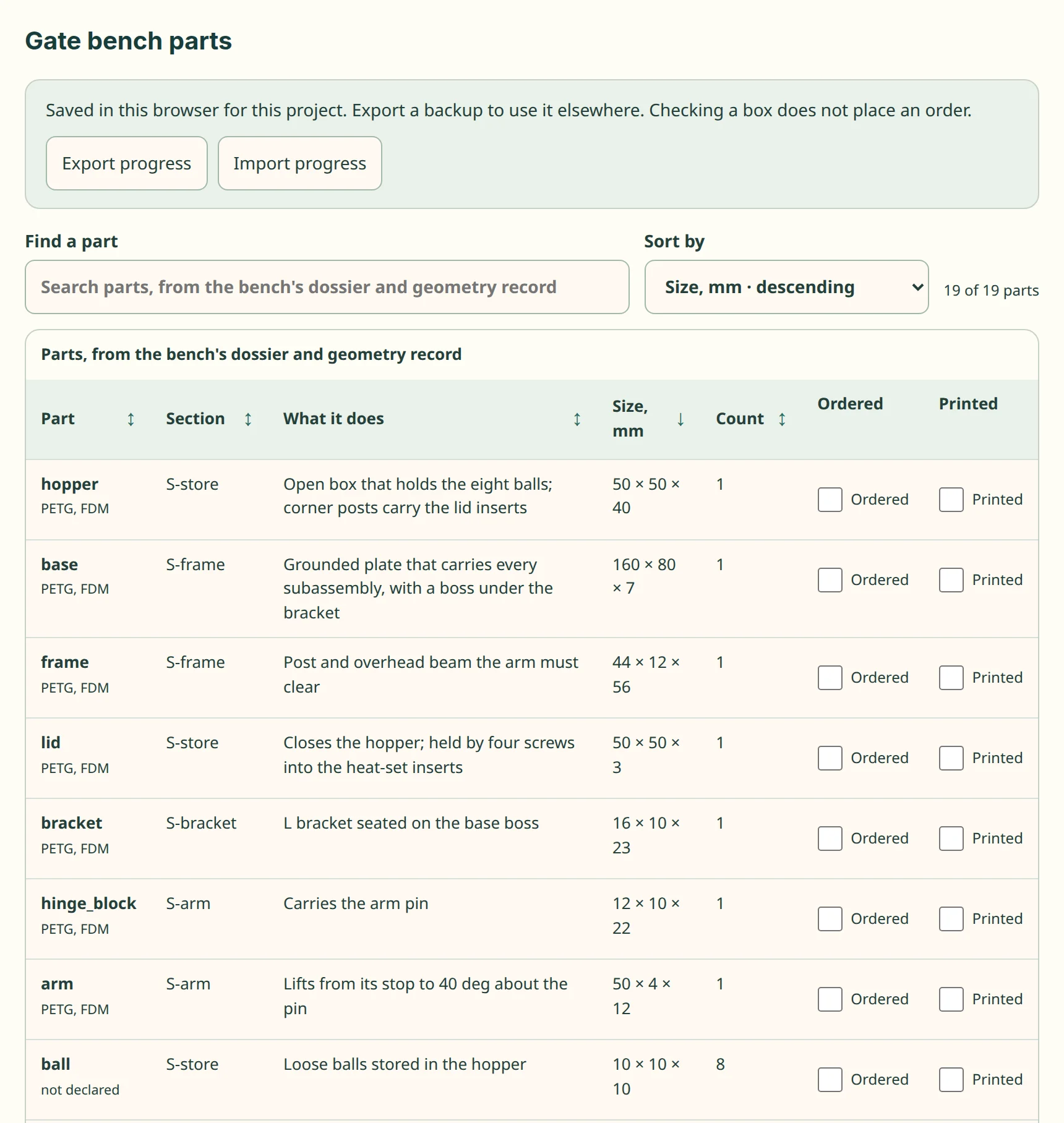
kit/part-table.js, on a test fixture in this repo. The kit's part table on the gate bench's parts. Each kind of part is one row with its count, sortable and searchable, with what it does and its size.- Rule: When the user is unsure which variant to use, add a decision table on the page, not just a chat answer.
- Incident: "P1M and P! don't support stacking the drives right?" and "Where's the base for stacking with drives?" The agent added a "Which base do I print?" section with a labelled underside render: desktop P1; wall or robot without storage P1M; any storage P1 + trays (+ P17 for wall or robot).
- Check: Each variant in the part list appears in exactly one row of the table.
- Source: 2026-10-25T01:30, 01:36.
Provide close-ups of the feature under discussion, at stable URLs
Rule: For each detailed feature, render a close-up or half-section and give it a stable file name, so the user can point at it.
Incident: The agent made close-ups for each detailed feature:
heatsink-tiedown.png, a section through the tie-down;hex-inlet.png, showing the cell chamfer;lid-column-detail.png, showing the column buttress;support-detail.png, a half-cut of both standoff types.
The user used the URL of
lid-column-detail.pngto show exactly which fillet they meant.Check: Every feature changed in a revision has at least one close-up linked from its section.
Source: 2026-10-24T07:18, 15:09; 2026-10-25T01:45, 02:04, 02:15.
Keep the review URL stable
- Rule: When restarting the preview server, reuse the same address so the user's open tab keeps working, and save the URL to a file.
- Incident: "can you serve it again?" The agent checked that port 43871 was free, served on it again, and confirmed
that the page and images load.
tools/serve_preview.pywrites the address topreview/server-url.txt. - Check: After a restart, fetch the page and one image at the saved URL.
- Source: 2026-10-24T14:40.
Make wheel zoom fine enough to inspect small features
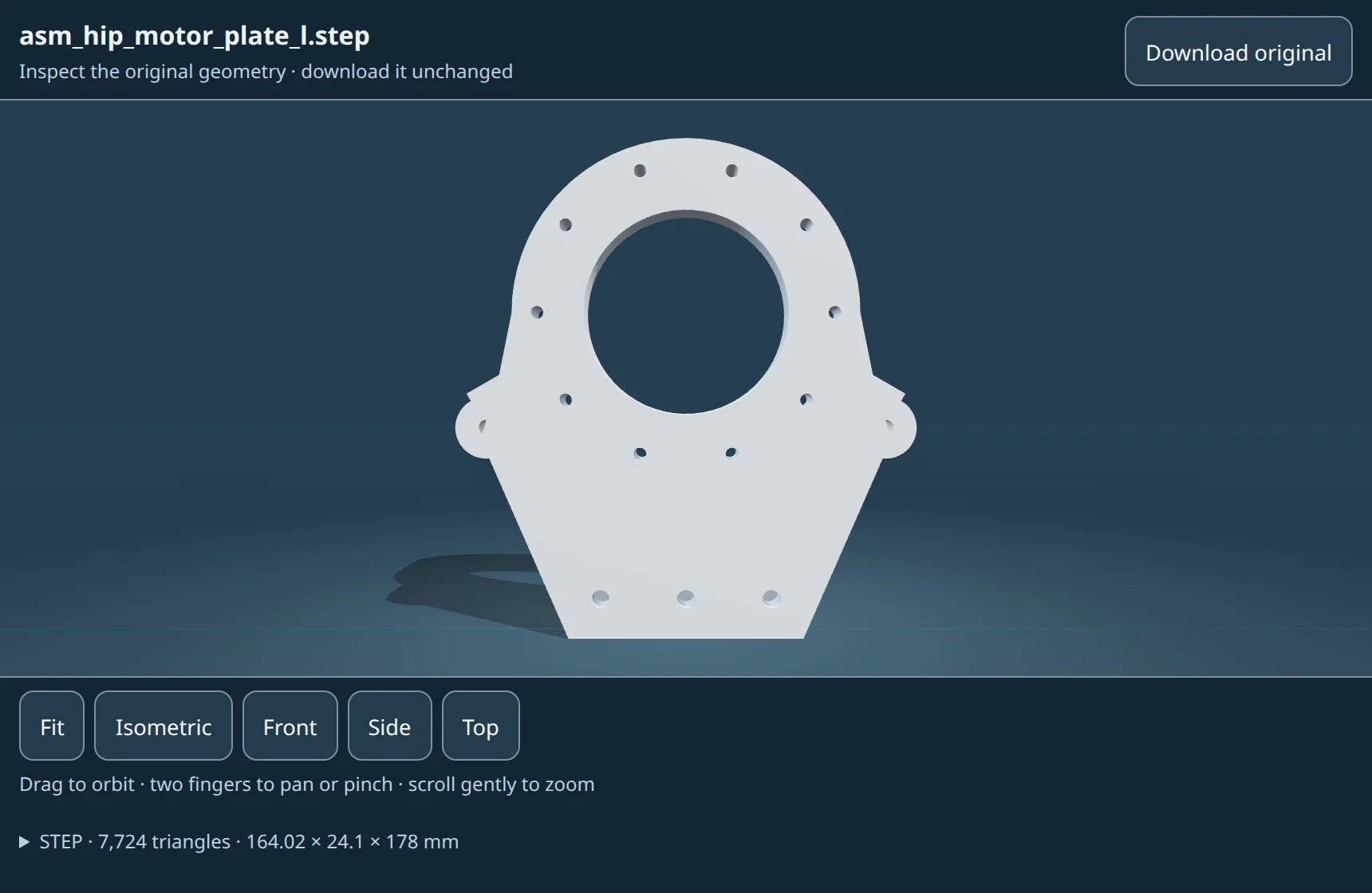
kit/file-viewer.js, on Gyropup · MIT. The shared file viewer, on Gyropup's hip motor plate. Its wheel moves the camera in small eased steps (about 1.57 percent per 120 px notch, docs/file-viewer.md), so every project gets the same fine zoom.- Rule: Use a moderate shared zoom sensitivity and preserve continuous wheel/trackpad deltas. Do not add a different zoom implementation to each project.
- Incident: During a later CAN-housing review on 2026-10-27, the user asked for more fine-grained wheel control in the standard viewer. The shared stage now uses OrbitControls
zoomSpeed: 0.25; custom integrations can override it. This also affects dolly and pinch gestures. - Check: In the browser at device pixel ratio 1, a 100-pixel wheel event changed camera distance by 1.29059%, versus 5.26316% at the prior sensitivity. Four fine increments matched one old increment; reversing the wheel restored distance. A 1-pixel delta moved only 0.012824%, with no JavaScript exceptions.
- Source: CAN breakout review, 2026-10-27;
src/cadagent/webkit/stage.jsand a browser check on the served project viewer. This is a later-project follow-up, not evidence from the original J501 transcript.